terraform
Feb 25, 2026
Stop Storing Cloud Credentials in Terraform State
Introduction Terraform state files contain everything Terraform needs to manage your infrastructure. That includes any cloud credentials you use to...
Read ArticleYou’ve automated Terraform deployments in CI/CD pipelines with GitHub Actions or Harness, but have you kept state management manual by manually running...
You’ve automated Terraform deployments in CI/CD pipelines with GitHub Actions or Harness, but have you kept state management manual by manually running terraform state mv, terraform state rm, and terraform import commands locally? That creates an audit gap and defeats half the purpose of infrastructure-as-code.
The fix is straightforward: use Terraform’s config-driven blocks instead of CLI commands. Your state operations become part of your Terraform configuration, reviewed in pull requests, and executed in your pipeline alongside everything else.
1. terraform state mv → moved block
You’ve renamed a resource in your code. Now you need to tell Terraform that the old state should map to the new name.
The old way:
terraform state mv aws_instance.web aws_instance.web_server
This command runs locally. Nobody reviews it. There’s no record in version control. If something breaks, you’re troubleshooting based on memory.
The new way:
moved {
  from = aws_instance.web
  to   = aws_instance.web_server
}
Now the move is in your Terraform configuration. It gets reviewed in your pull request. It executes in CI/CD alongside your other changes. It’s documented forever in git history.
2. terraform state rm → removed block
You’re removing a resource from Terraform management, but want to keep the actual infrastructure.
The old way:
terraform state rm aws_s3_bucket.logs
Same problem: manual, local, no audit trail.
The new way:
removed {
  from = aws_s3_bucket.logs

  lifecycle {
    destroy = false
  }
}
The removed block tells Terraform to stop managing the resource without destroying it. The operation is documented and approved, as with any other infrastructure change.
3. terraform import → import block
You need to bring existing infrastructure under Terraform management.
The old way:
terraform import aws_instance.existing i-1234567890abcdef0
Manual command. No record of what was imported or when.
The new way:
import {
  to = aws_instance.existing
  id = "i-1234567890abcdef0"
}

resource "aws_instance" "existing" {
  # configuration matches the existing instance
}
The import happens during terraform plan and terraform apply. It’s part of your normal workflow, not a separate operation.
Most organizations run Terraform through some kind of automation: GitHub Actions, Harness, GitLab CI, Jenkins, or Terraform Cloud.
The whole point is to make infrastructure changes consistent, auditable, and controlled through code review.
But if you’re still running state commands manually, you’re bypassing that process for some of your most critical operations. Renaming resources, removing them from state, importing existing infrastructure – these all change what Terraform manages. They should go through the same approval process as creating new resources.
With config-driven blocks:
Without them:
Auditability: Every state operation is in git history. You can see who proposed it, who approved it, and exactly when it executed.
Consistency: State operations run in the same environment as your deployments. No more “works on my machine” problems with state files.
Knowledge sharing: New team members can see how resources were moved or imported by reading the configuration, not by asking around.
Safety: Pull request reviews catch mistakes before they affect production state. Someone renames a critical database resource? The moved block gets reviewed.
There are legitimate cases for CLI state commands:
But for production infrastructure managed through CI/CD, config-driven blocks should be your default.
Migrating is straightforward. Next time you need to:
moved block instead of running terraform state mvremoved block instead of terraform state rmimport block instead of running terraform importYour workflow doesn’t change. You still create a branch, make changes, open a pull request, and merge. The only difference is that state operations are now part of that workflow instead of separate manual steps.
If you’re running Terraform in CI/CD but still using CLI state commands, you’re operating with split workflows. Some changes go through code review and automation, others don’t.
Config-driven blocks close that gap. They make state management as auditable and controlled as everything else in your infrastructure.
The migration isn’t complex. Start using moved, removed, and import blocks for your next state operation and build from there.
Your future self – and your teammates – will appreciate having a complete record of what changed and why.
Keep Reading
Introduction Terraform state files contain everything Terraform needs to manage your infrastructure. That includes any cloud credentials you use to...
Read Article
Introduction I get asked this constantly by my students: “Is the Terraform Associate certification actually worth it, or is it just another cert to collect?”...
Read Article
Introduction I get asked this question constantly in my courses and by teams I consult with: “Should we use CloudFormation or Terraform?” It’s a fair question...
Read Article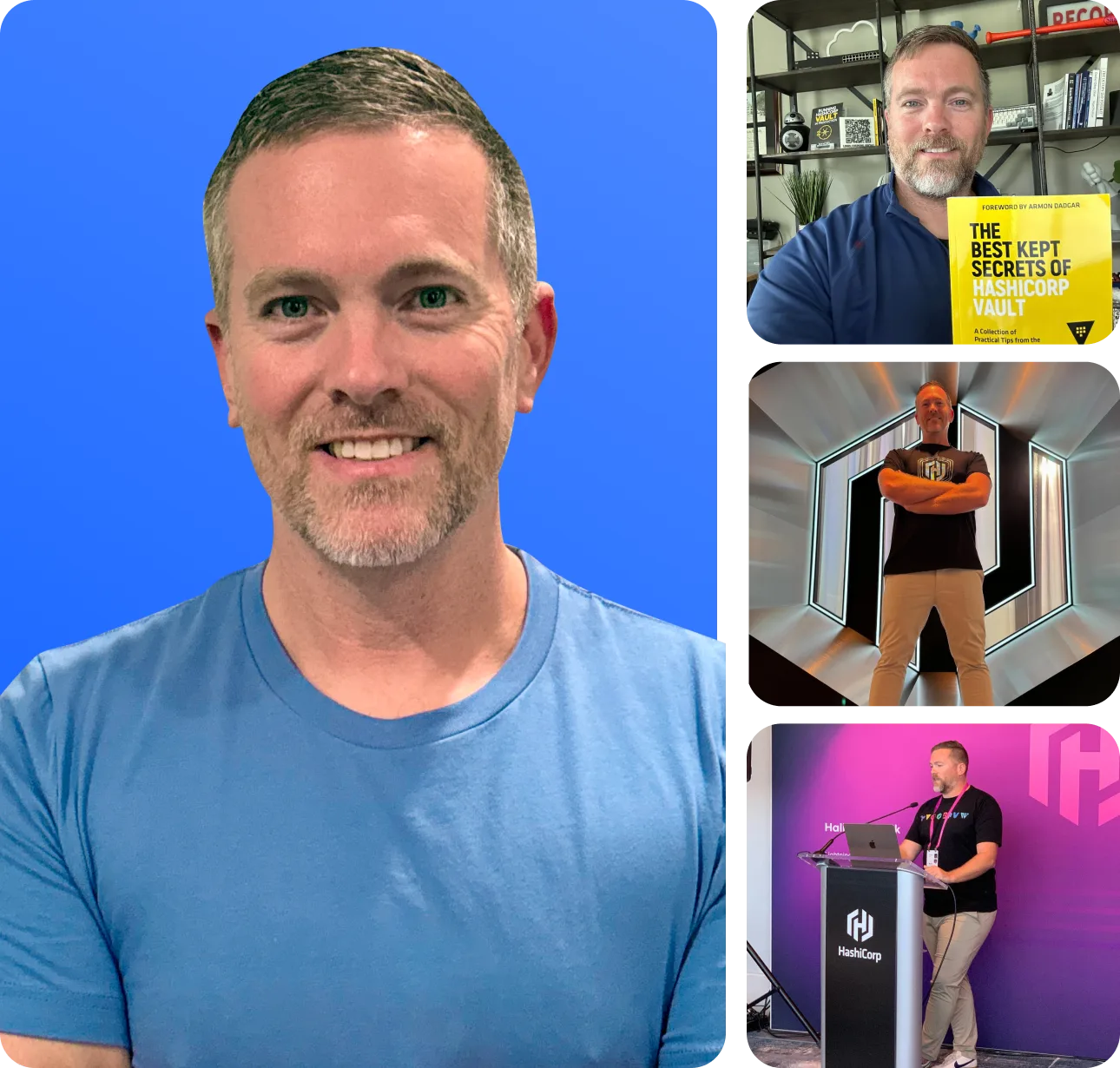
About the Instructor
Bryan Krausen is a leading AWS and HashiCorp educator with over a decade of experience helping professionals and businesses succeed in the cloud. As a top-rated Udemy instructor, Bryan has taught over 150,000 students worldwide, delivering practical, real-world insights that empower learners to thrive in the ever-evolving tech landscape.
A HashiCorp Ambassador and published author, Bryan holds multiple AWS and HashiCorp certifications. His courses combine clear explanations, hands-on labs, and real-world scenarios to ensure students don't just pass exams — they truly understand the technology.
150,000+
Students Worldwide
20+
Online Courses
4.7+
Star Rating
Turn these concepts into real skills. Explore Bryan's hands-on courses on Terraform, Vault, AWS, and more.
Explore Courses