The Vault Secrets Operator (VSO) makes it easier than ever to bring HashiCorp Vault secrets into Kubernetes—securely, natively, and without adding Vault-specific logic to your workloads. Whether you’re running on a self-managed cluster, using a managed Kubernetes service, or operating in a multi-cloud environment, VSO provides a streamlined, GitOps-friendly way to keep your workloads supplied with the credentials, API keys, and certificates they need.
In this post, I’ll walk you through the full workflow:
- Installing the Vault Secrets Operator
- Configuring connectivity and authentication with Vault
- Syncing secrets from Vault into Kubernetes
Note: This content is from my HashiCorp Certified: Vault Associate (w/ Hands-On Labs). Make sure to check it out for additional content on HashiCorp Vault.
Step 1: Installing the Vault Secrets Operator
The easiest way to install VSO is with HashiCorp’s official Helm chart. This ensures a consistent, repeatable setup across all your environments.
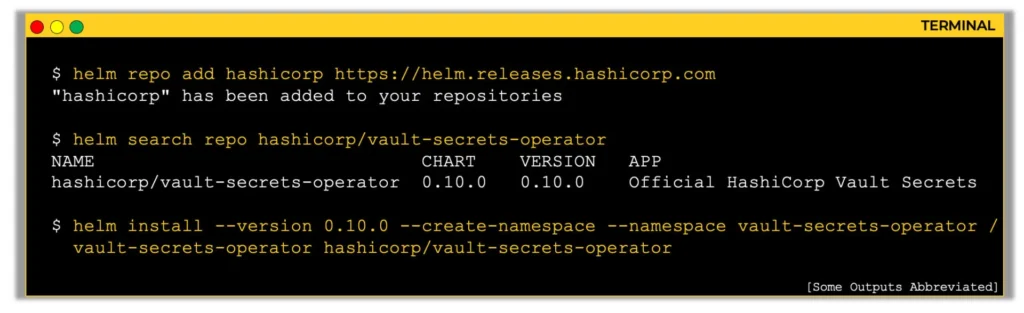
VSO runs in its own namespace, which helps keep things clean and allows you to manage permissions independently from your workloads. The installation process looks like this:
- Add the HashiCorp Helm repository so Helm knows where to fetch the chart.
- Search for the chart to verify availability.
- Run the Helm install command to deploy the operator into its namespace.
Example command:
helm repo add hashicorp https://helm.releases.hashicorp.com
helm search repo hashicorp/vault-secrets-operator
helm install \
  --version 0.1.0 \
  --create-namespace \
  --namespace vault-secrets-operator \
  vault-secrets-operator hashicorp/vault-secrets-operator
Here’s a quick breakdown:
--version 0.1.0pins to a known version so behavior stays consistent.--create-namespaceensures the namespace exists.- The release name
vault-secrets-operatoris how Helm will track this install. - The chart name
hashicorp/vault-secrets-operatorpoints to the official source.
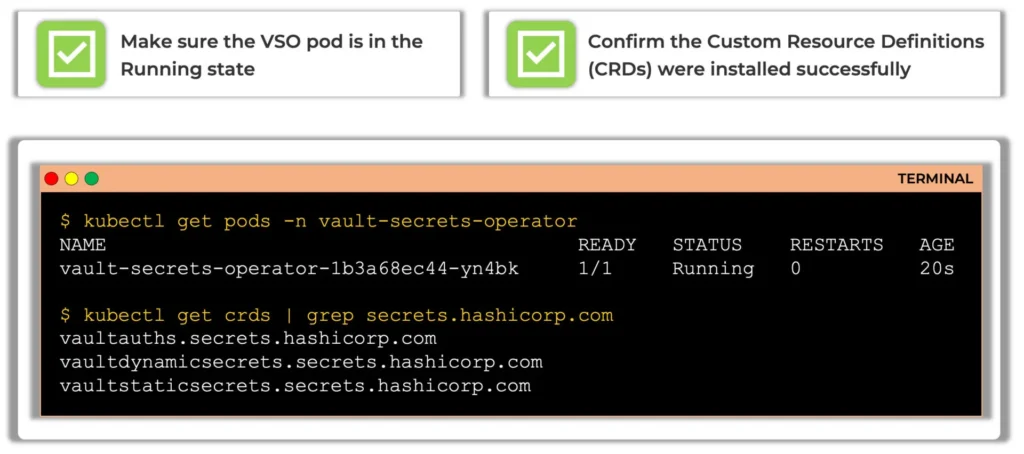
Once installed:
- Run
kubectl get pods -n vault-secrets-operatorto confirm the operator is running. - Check the CRDs with
kubectl get crds | grep secrets.hashicorp.comto ensure VSO-specific resources likeVaultAuth,VaultStaticSecret, andVaultDynamicSecretare registered.
Step 2: Configuring the Vault Secrets Operator
Like any Vault client, VSO needs two things:
- Where to find Vault (Vault address)
- How to authenticate (Auth method)
You’ll define this using Custom Resources (CRs) based on VSO’s Custom Resource Definitions (CRDs).
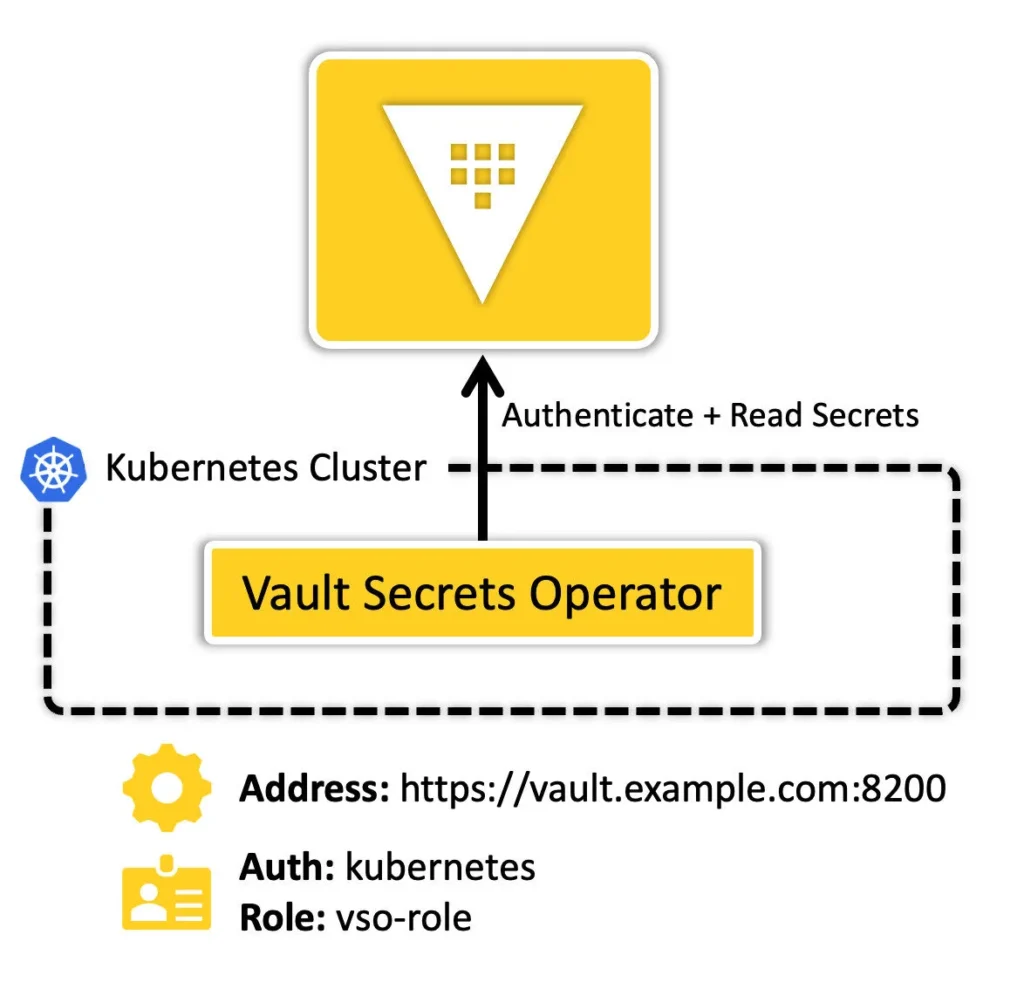
VaultConnection CR
The VaultConnection CR tells VSO how to reach your Vault cluster—whether it’s in the same Kubernetes cluster, running externally, or hosted on HCP Vault. This CR includes:
- Vault address (e.g.,
https://vault.example.com:8200) - TLS settings (never skip TLS in production!)
- Optional custom CA configuration
You can create multiple VaultConnection CRs if you need to connect to different Vault clusters or environments.
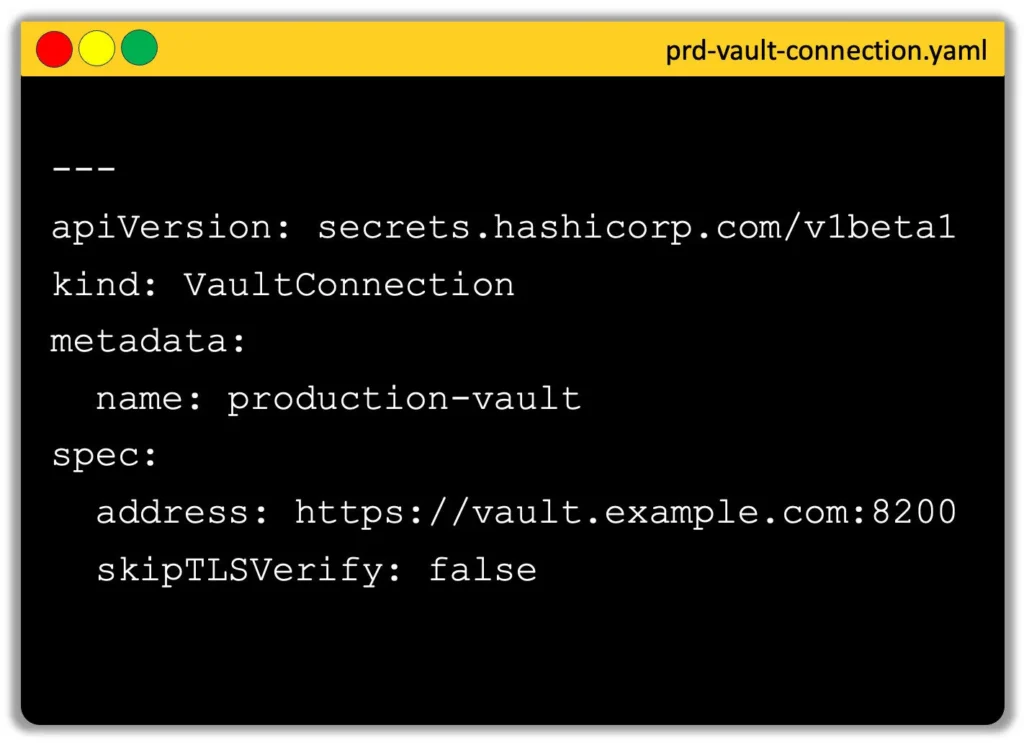
VaultAuth CR
The VaultAuth CR defines how the operator should authenticate to Vault. Common methods include:
- Kubernetes Auth Method (most popular when running in-cluster)
- AppRole
- Cloud-specific methods like AWS IAM or GCP Workload Identity

For Kubernetes auth, the operator will:
- Send a service account token to the Vault Kubernetes auth mount.
- Authenticate with a specific Vault role that has permissions to read required secrets.
The VaultAuth CR references the VaultConnection by name, linking the authentication method to the correct Vault cluster.
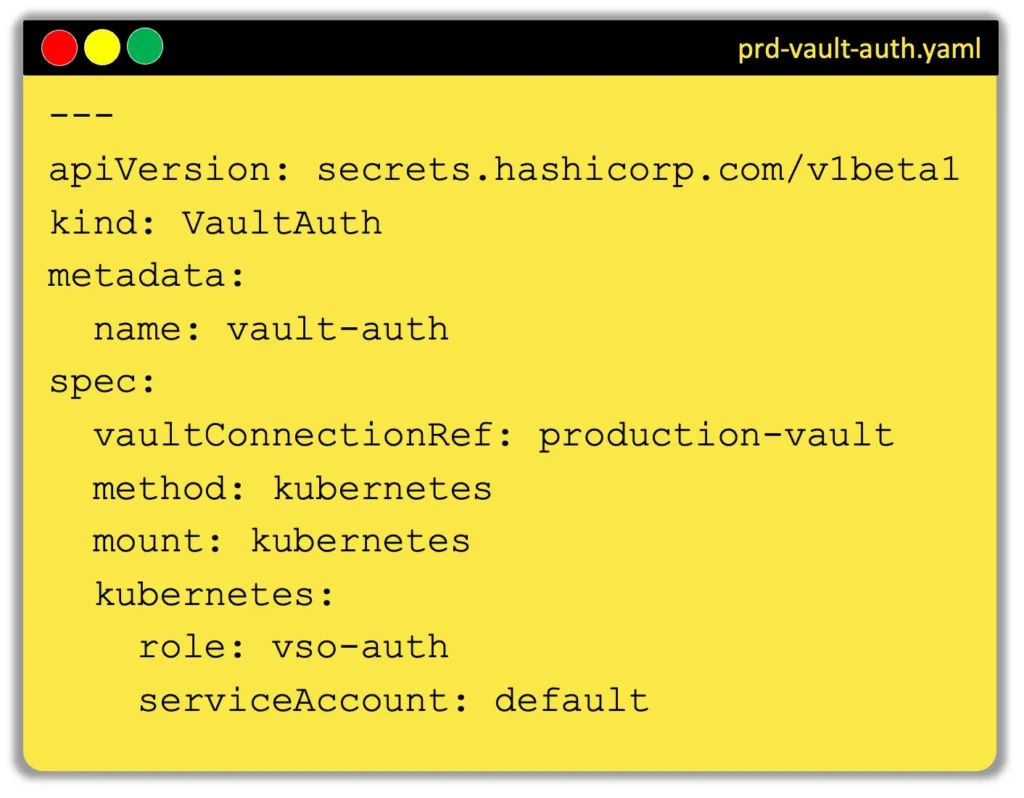
Step 3: Syncing Secrets from Vault into Kubernetes
With connectivity and authentication in place, it’s time to actually sync secrets.
VSO supports three main CR types for syncing:
- VaultStaticSecret – Syncs a manually managed static secret from the KV secrets engine (v1 or v2). Great for API keys or passwords that don’t change often.
- VaultDynamicSecret – Retrieves on-demand credentials from dynamic secrets engines like Database, AWS, GCP, etc., and refreshes them before expiration.
- VaultPKISecret – Generates and rotates TLS certificates using Vault’s PKI secrets engine, syncing them into Kubernetes as TLS secrets.
Each CR follows the same general pattern:
Example: VaultStaticSecret
apiVersion: secrets.hashicorp.com/v1beta1
kind: VaultStaticSecret
metadata:
  name: myapp-config
spec:
  vaultAuthRef: vso-auth
  mount: kv
  path: secret/myapp/config
  type: kv-v2
  destination:
    name: myapp-config-secret
  refreshAfter: 1h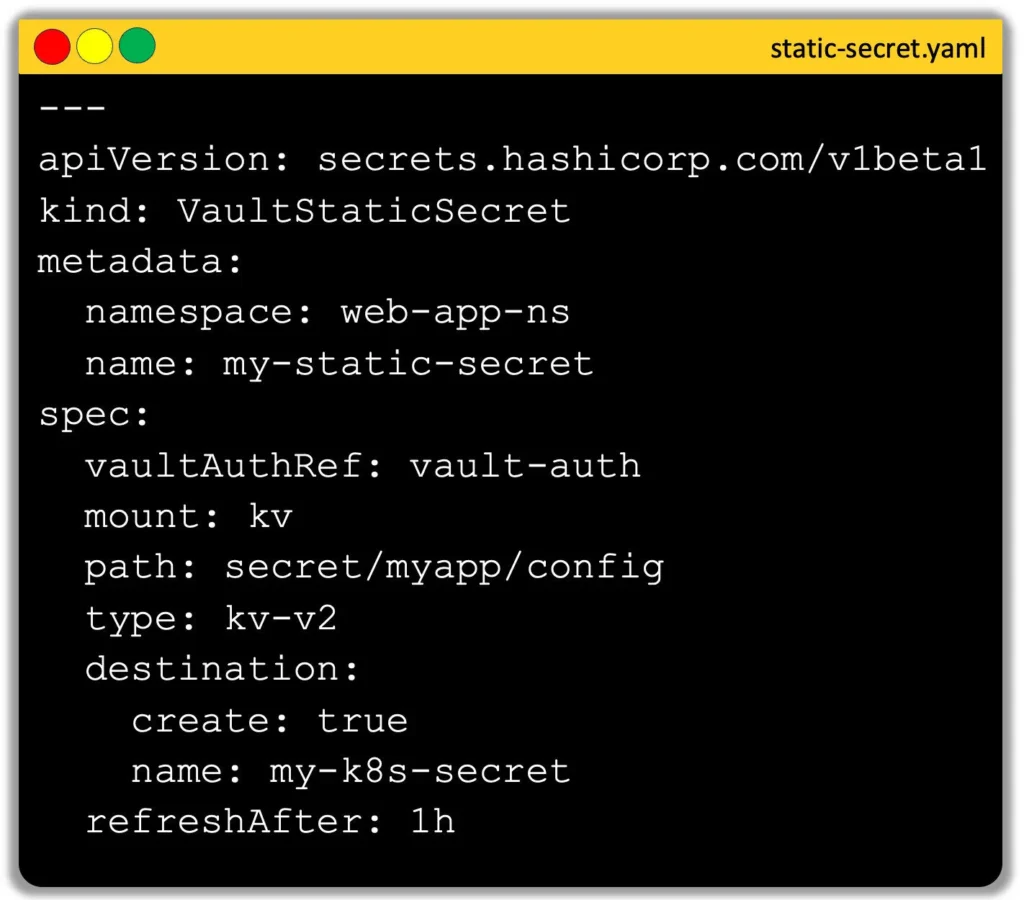
Why This Approach Works So Well
Using the Vault Secrets Operator gives you:
- Kubernetes-native secret management – No Vault-specific code in your workloads.
- Declarative workflows – Perfect for GitOps with CRDs stored in Git.
- Secure, automated rotation – Dynamic and PKI secrets stay fresh without manual intervention.
- Scalability – Easily manage secrets across multiple applications and namespaces.
Whether you need a one-off static API key or fully automated certificate rotation, VSO brings Vault’s power right into your Kubernetes environment—securely and seamlessly.
Ready to Try It?
With these three steps—Install, Configure, and Sync—you can integrate HashiCorp Vault into Kubernetes using the Vault Secrets Operator in a way that’s clean, maintainable, and production-ready.
If you’re studying for the HashiCorp Certified: Vault Associate exam, this is also a topic worth knowing inside and out. And if you’re running Kubernetes in production, it’s worth testing VSO in a dev or staging cluster to see just how much it can simplify your secret management.
Note: Make sure to check out my course here, where I include links and coupons to ensure all my content is accessible to everyone.
Explore my latest courses